GrillMe
Answering questions
One question at a time, in the middle of the screen. The operator answers it; everyone else can propose the answer; the interviewer replies and asks the next.
The queue
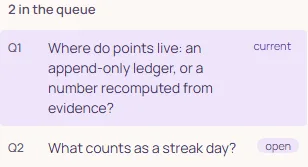
The interviewer asks a few questions at a time. The queue lists them with a state: the current one is on the card, the others are open, and a question set aside is parked. The line above the card, The questions reflect the draft only, means no answer has reached the interviewer yet; it changes when the conversation has context.
The question card
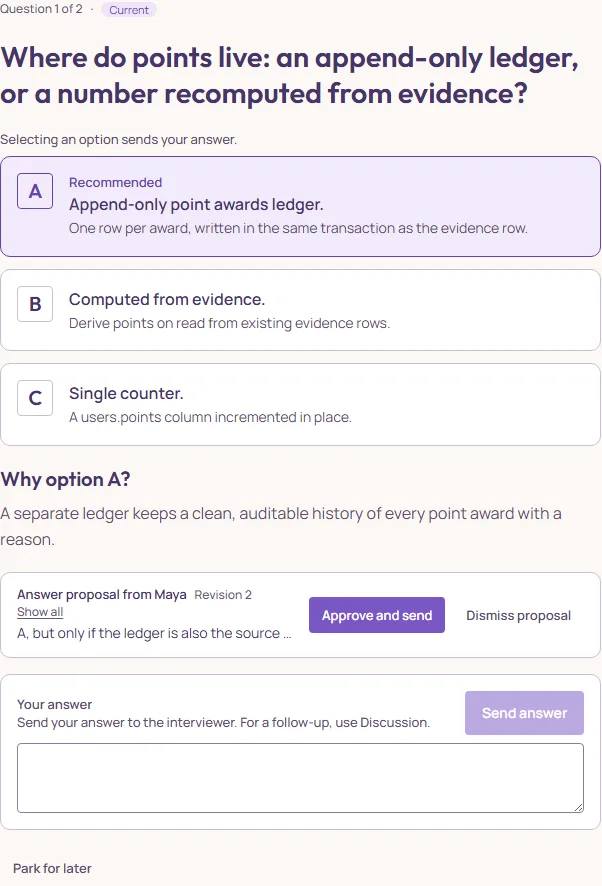
Most questions come with options, one marked Recommended, and a Why option … paragraph that explains the recommendation in one breath. For the operator, selecting an option sends it as the answer at once. A question that needs words instead has the Your answer field; Send answer sends it to the interviewer. Nothing is sent by accident: “Not sent. Your text is still here.” is what a refused send says.
After an answer the card shows it under Your answer with the interviewer’s reaction. To change it, send a new answer; the card calls this Revisit.
Proposals: how everyone else answers
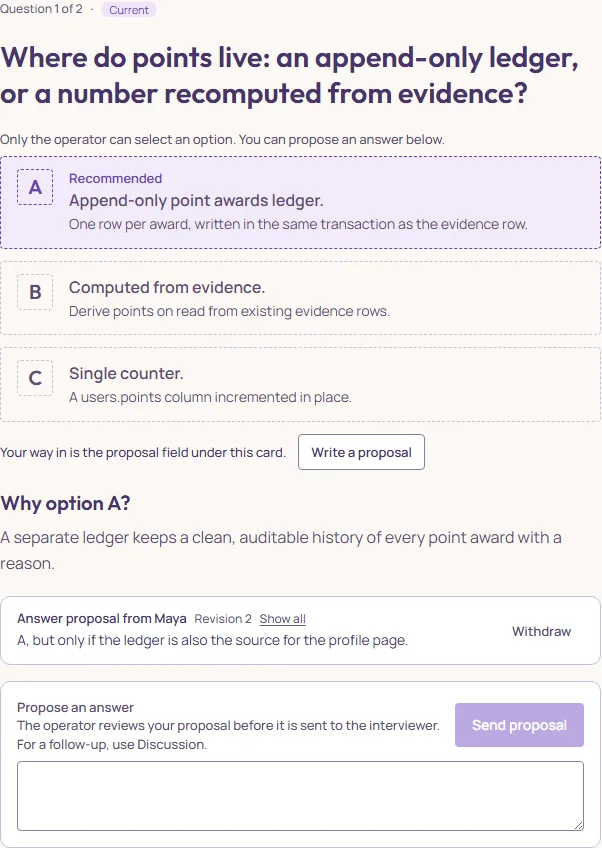
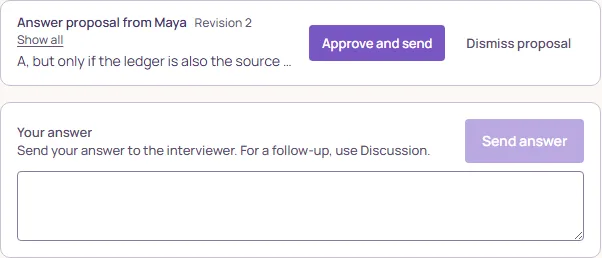
A participant writes in Propose an answer and presses Send proposal. The proposal appears on everyone’s card, with the author’s name and a revision number, and waits (Awaiting the operator). The author can Withdraw it. The operator sees Approve and send, which sends the proposal as the team’s answer, and Dismiss proposal.
Park, undo, retry
- Park for later
- Sets the current question aside and moves to the next. The queue keeps it as parked; Unpark this question brings it back.
- Undo
- Takes back the last answer while the interviewer has not built on it. The interviewer is told; the question is open again.
- Retry
- When the interviewer’s reply fails, the answer is kept (“Processing failed. The answer is kept.”) and Retry asks again. Cancelling keeps the answer unprocessed.
Two notices can pause the interview without ending it: AI capacity is reserved by queued work (another call for this document is running; the operator’s Send answer waits under Waiting for the interviewer to catch up, keeps the answer, and comes back by itself) and This document has reached its AI call limit for this action (the work is saved; keep editing or export). A paused interview is not a finished one; see Finishing, and the review.
Answers can be short. The interviewer asks again when it needs more, and a follow-up you want to ask it belongs in the Discussion, not in the answer field.